Another way to stop a game in progress is to click the "Setup" button in the lower right-hand
corner of the Play Mode screen:
If you need to go back to Setup to modify a game setting, such as a default Toss-Up Question
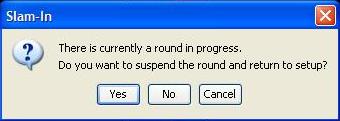
point value or a Wrong Answer Penalty, you don’t have to start the game over from scratch. Just
confirm that you want to suspend the game by clicking "Yes" in the dialog box:
When a game is suspended, all game timers are frozen. That can be both a benefit as well as a
disadvantage of a game suspension as compared to a timeout. The disadvantage is obvious –
there is no on-screen indication of time passing. However, you may edit most game settings
while a game is suspended.